The Edit View
The edit view displays one entity in a form, allowing the user to view or change the properties.
Functions of the edit view:
- Displaying one entity with all the properties and all the children
- Editing the property values on the main entity or child properties
- Presentation of the data on multiple tabs. Each tab can contain columns of values or grids of values
- Displaying related entities
- Generating a printable format for the entity
Overview
The main view
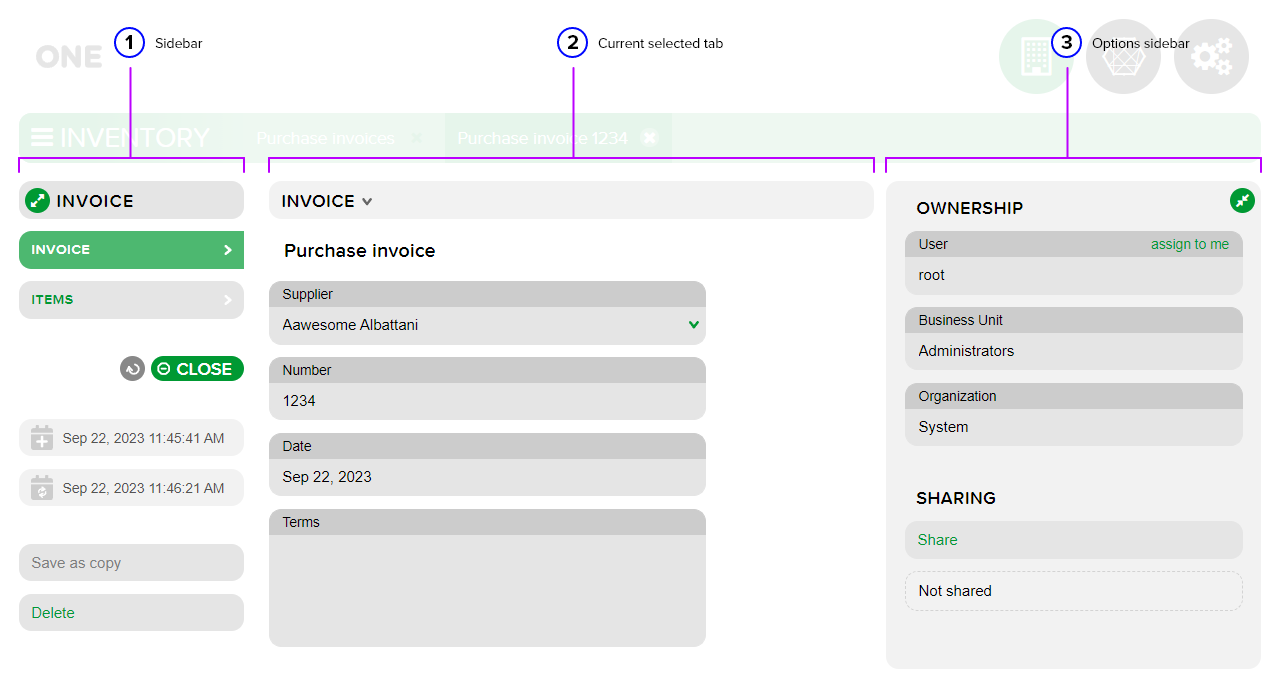
- Sidebar - the area where the existing tabs within the recording and other functionalities are displayed;
- Current selected tab - the currently selected tab. It can display a results table or other information;
- Options sidebar - this area displays the actions available within the current recording. It also includes the OWNERSHIP at the recording level (who owns it) and the SHARING area for sharing (view/edit/delete).
The sidebar
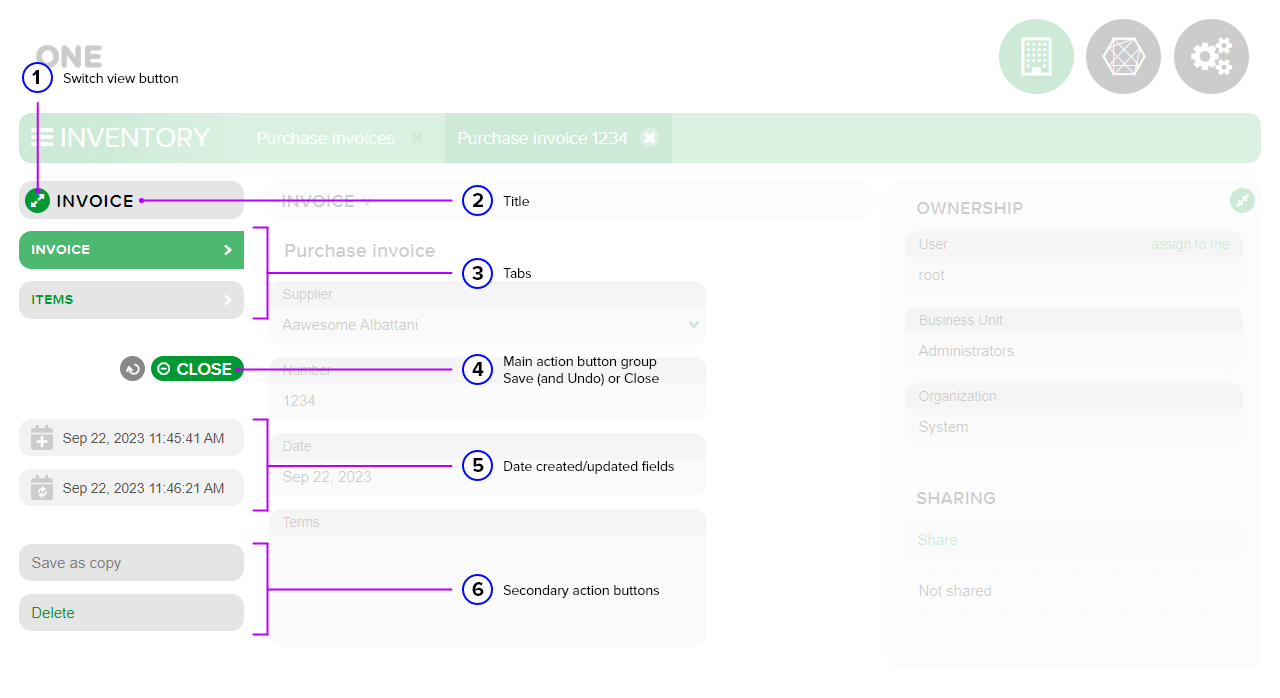
Switch view button - used to change the display of the edit view (expanded/compact);
Title - the title of the current tab;
Tabs - the tabs available within the edit view;
Main action button group Save (and Undo) or Close - the main area of the following button group:
- The UNDO button - becomes active by changing its color from gray to the default color of the current module, when changes are made in the current tab;
- The CLOSE button - is displayed by default when opening the record;
- The SAVE button - becomes active when changes are made in the current tab.
Date created/updated fields - the area where the platform automatically records the date and time of creation/update of the current record.
Secondary action buttons - the secondary action buttons area. This includes the following buttons:
- Save as copy - used to save a copy of the current record;
- Delete - used to delete the current record.
The options sidebar
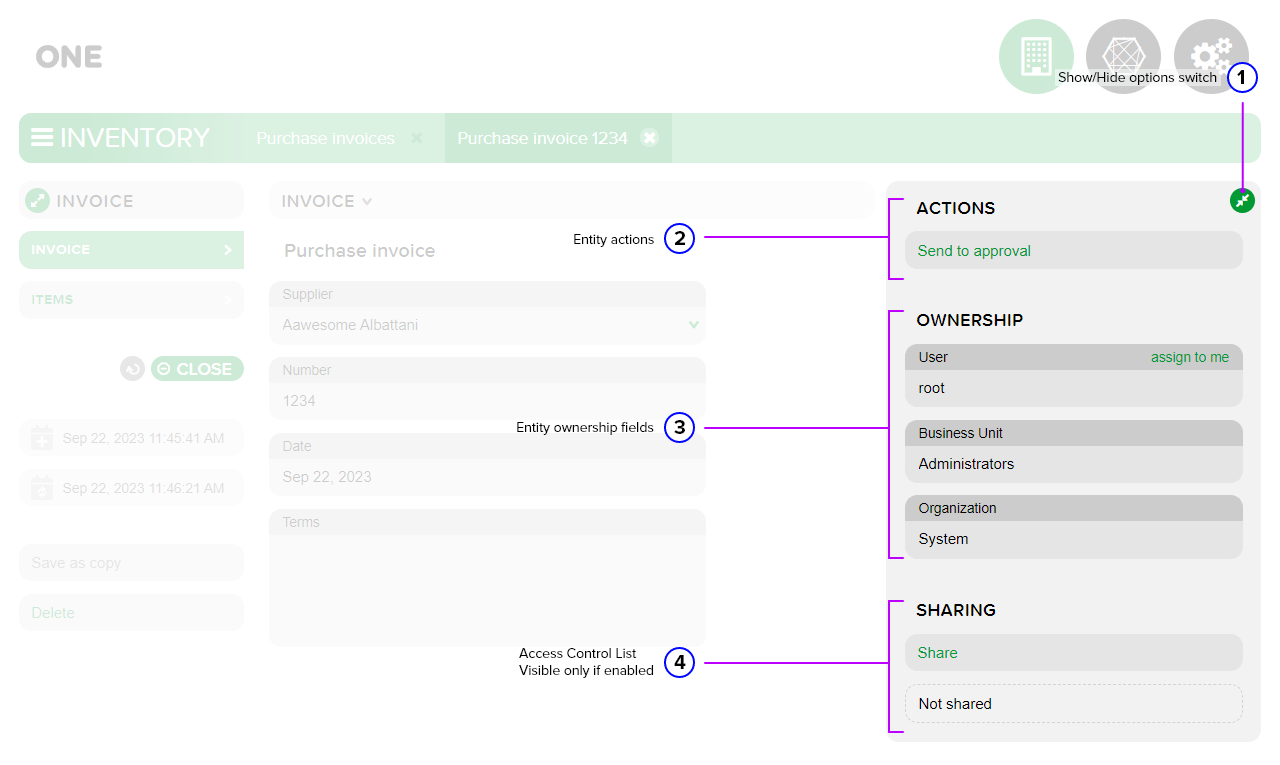
Show/Hide options switch - used to have an expanded overview of the items in the current tab. This option sidebar collapse button is useful when a results table with many columns is displayed in edit view.
Entity actions - implemented and added by the developer. Each action fulfills a requirement related to the application database table where the current record is stored.
Entity ownership fields- fields that show who owns or manages the current record:
- User - stores the name of the user who created the record;
- Business Unit - is set for each user;
- Organization - is set for each user.
Access Control List, visible only if enabled - represents the SHARING area of the current record and is visible only if it has been enabled by the developer.
For more information on edit views see Documentation → Develop App → Edit views.